
Get the paperwork handled before pickup.
RentalDays gives each client a secure setup path for agreements, insurance, payment authorization and ID verification, then keeps the result visible with the client.
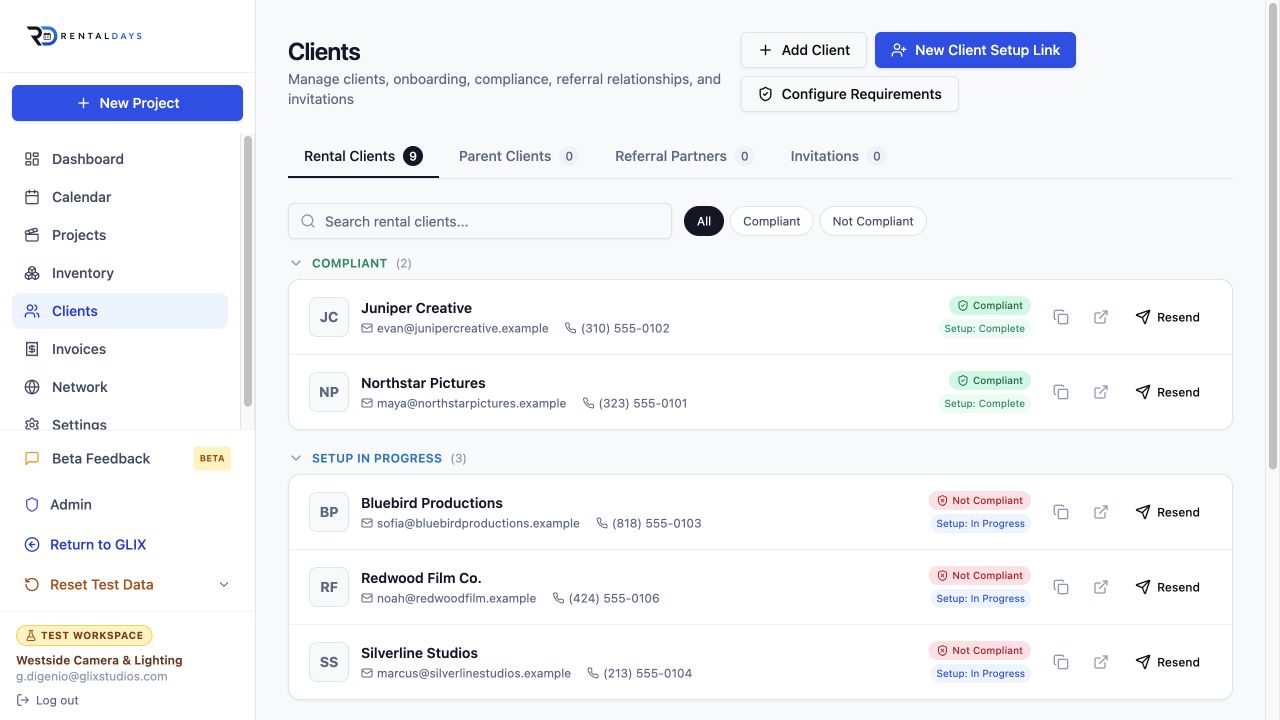
One secure setup path
A new client moves from basic information into paperwork.
Send or copy a setup link, follow onboarding progress and review the same client record your team already uses for projects and rental history.
Send a secure setup link
Invite the client without creating a separate account-management workflow.
Collect configured requirements
The client completes the items your workspace requires for rental readiness.
Review compliance
See complete, pending, missing, expired or waived requirements from the client record.
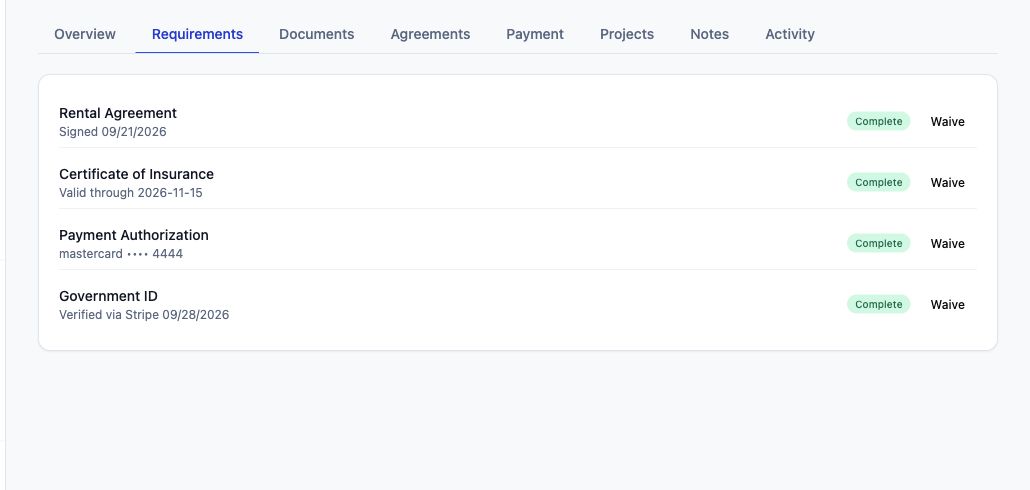
Rental-ready status
Know what is complete and what still needs attention.
Client Desk keeps requirement status, documents and verification results together. Your team can review a client without hunting through email threads or disconnected folders.
- Waivers remain different from normal completion and keep their reason and audit history.
- COI dates and missing requirements remain visible to the rental team.
- Stripe Identity status is shown without storing government ID images or biometric data in RentalDays.
- Onboarding progress and compliance stay separate from project payment state.
The client record becomes the operational home.
Requirements, documents, agreements, payment authorization, projects, notes and activity stay connected to the client.
Rental agreements
Keep signing status, completion and agreement history tied to the client.
Certificate of Insurance
Collect COIs, track expiration and see whether the requirement is satisfied.
Payment authorization
Keep client payment authorization and supported saved-payment state with the client record.
Government ID
Use Stripe Identity for verification while keeping sensitive identity documents in Stripe.